

TL;DR
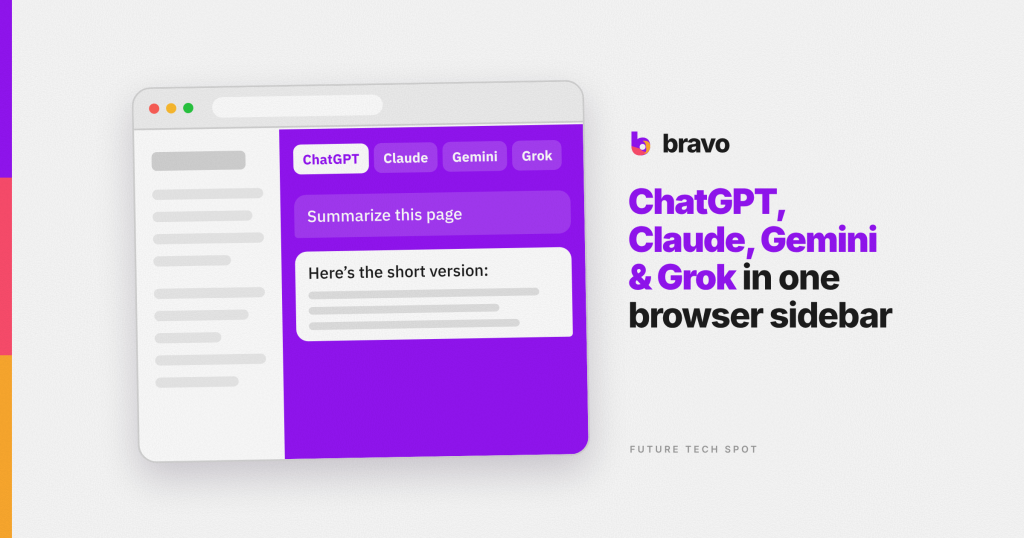
Bravo is a Tools Chrome extension developed by Bravo AI, LLC (bravo.ai). It claims to put ChatGPT, Claude, Gemini, and Grok in a side panel, answer questions about the page you are on, and optionally search Gmail, Calendar, and Drive read-only. Pricing starts free (about 100–150 questions a month, no card) with $5 top-ups or a $5/month Starter plan as of 2026-09-07. An account is required. Bravo has 153 Chrome Web Store users and a 5.0/5 rating from 14 reviews, with version 6.2.3 last updated 2026-09-05. Best for: people who want one sidebar that can see the page and the inbox, and who accept that we have not run a live chat.
Key facts
| Field | Value |
|---|---|
| Name | Bravo |
| Developer | Bravo AI, LLC (bravo.ai, [email protected]), Washington, DC |
| Category | Tools |
| Price | Free tier + $5 top-ups / $5/mo Starter as of 2026-09-07 |
| Chrome Web Store users | 153 |
| Rating | 5.0 / 5 (14) |
| Last updated by developer | 2026-09-05 (v6.2.3) |
| Size | 1.71 MiB |
| Chrome Web Store URL | https://chromewebstore.google.com/detail/bravo-gpt-5-claude-gemini/kclhfokiaecmaglhoceflcocbhfpkahd |
| Official site URL | https://bravo.ai/ |
| Privacy policy URL | https://bravo.ai/privacy |
| Last verified by us | 2026-09-07 |

Why Brad Vogel built Bravo
You are late for the 2pm. The proposal thread is somewhere in Gmail. The deck is in Drive. The calendar says Sarah. You already have ChatGPT in one tab and Claude in another. Neither one can see your inbox unless you paste.
That mess is the founder letter. Brad Vogel is Founder and CEO of Bravo AI, LLC in Washington, DC. His last company was Mixmax, where he was co-founder and CTO — not sole founder, but close enough to email that the Continuity joke writes itself. On Why I built Bravo, he sells the same scene the Store listing demos: ask what Sarah said, ask if you are ready for the meeting, keep one panel open instead of three model tabs and a frantic search.
Bravo is the product answer to his desk problem. Product live since April 2026. The Store shows 153 users, fourteen five-star ratings, version 6.2.3, updated 2026-09-05. Contact is [email protected]. The legal pages and Store address match. We did not install a live session here. So this is a listing review. The inbox is still unread.
What Bravo claims to be
Bravo is a Tools Chrome extension: a multi-model side panel plus optional inbox hooks. ChatGPT, Claude, Gemini, and Grok in one place. Ask about the page you are on. Summarize. Draft. Switch models without switching tabs. The listing says Bravo picks a model for the task and adopts new ones quickly. We have the model picker copy. We do not have a reply.
Optional read-only Gmail, Calendar, and Drive (and Dropbox) sit on top of that sidebar. A Bravo account is required. The free tier is a monthly credit allowance. Whether “am I ready for my 2pm” actually pulls the right three sources, we have not typed it.
How the inbox hooks are supposed to work
Add to Chrome, if Chrome will let you. Then pin it. Chrome still hides new icons behind the puzzle-piece menu. Two clicks. That is a tip, not a product review.
What the Chrome Web Store listing and bravo.ai say, verified 2026-09-07:
Gmail, Calendar, and Drive are opt-in and read-only, according to the docs. Separate OAuth after sign-in — Google for the account is email-only at first; inbox scopes come later. Dropbox too. Bravo can draft and copy. It says it will not send mail or click buttons. Leave those off until you want them. Fine. A sidebar should not meet your entire Google account on day one.
The memory claim: one memory across chats, exportable and deletable, according to the listing. Company claim. Not observed here.
The homepage still says “Just launched.” The changelog says the product has been live since 2026-04-03. Both can be true. One of them is marketing.

How much Bravo costs in 2026
| Tier | Price | What you get |
|---|---|---|
| Free | $0 | Account required. Docs say 100 credits/month. Homepage and Store say about 150 questions/month. No card to start. |
| Starter | $5/month | Docs: 500 credits/month. |
| Top-ups | $5 packs | Store and founder letter emphasize $5 top-ups. Docs also sell 500-credit packs. Unused monthly credits do not roll over. |
Verified 2026-09-07. The free allowance is real. The exact unit (“questions” vs “credits”) is not the same sentence on every page. Treat ~100–150 free interactions as the ballpark, then $5 when you want more. A scout-era “first 1,000 free forever” line was not on the live Store or homepage today.
What we could verify from the listing
We did not run a signed-in chat. Chrome policy did not block an install on paper, but this review stayed listing-only. What follows is what the listing is good at.
- It names the actual mess. Page in one tab. Inbox in another. Calendar in a third. A side panel that can see all three is the right feature to sell.
- Inbox access stays opt-in. Google sign-in for the account is separate from Gmail / Calendar / Drive, according to the docs. That is the correct order even as copy.
- Read-only is written down. Draft, do not send. Copy, do not click. Believe it when a draft is sitting in front of you.
- The founder letter is a real scene. Mixmax co-founder and former CTO builds another tool that lives next to email. That is rarer than a model logo wall.
- The changelog is busy. Dated entries from April through September 2026. Someone is shipping. We have not used the builds.
What we could not verify
- We could not run it. No live side panel, no Gmail pull, no “ready for my 2pm” result. Treat every feature bullet as listed, not observed.
- It is a crowded sidebar. Sider has 5,000,000 Chrome users. Monica has 3,000,000. MaxAI has 700,000. Bravo has 153. If you just want a model in the panel, those listings already exist. Bravo is the newer, inbox-aware, Mixmax-alumni listing.
- The free tier math is fuzzy. Store and homepage say ~150 questions. Docs say 100 credits. FAQ says a typical message is about half a credit. All three were live on 2026-09-07. Pick one before you budget.
- “Just launched” meets a six-month changelog. Harmless marketing. Still funny.
Who should use Bravo, and who shouldn’t?
Should
- People who live in Gmail, Calendar, and Drive and want one sidebar that can answer from the page and the inbox, not another $20 model tab.
- People willing to try a 153-user extension from a known Mixmax co-founder, knowing we have not confirmed a single pull.
Shouldn’t
- People who only want a multi-model sidebar. Sider already has the users. Because five million people got there first.
- People who will not connect Google or trust a new sidebar with read-only inbox scopes. Bravo without Gmail is another AI panel. The listing is selling the connected version.
What are the best Bravo alternatives?
Other sidebars exist. Several of them have more users. Bravo is still the listing this review is about.
- Sider — 5,000,000 users, 4.9/5 from 114,300 reviews, Featured, 38.47 MiB, updated 2026-09-03. The default Chrome AI sidebar for a lot of people.
- Monica — 3,000,000 users, 4.9/5 from 32,200, Featured, 32.31 MiB, updated 2026-08-06. Another mass-market sidebar with in-app purchases.
- MaxAI — 700,000 users, 4.7/5 from 14,500, Featured, 30.92 MiB, updated 2026-08-23. Multi-model sidebar at scale.
| Bravo | Sider | Monica | MaxAI | |
|---|---|---|---|---|
| Users | 153 | 5,000,000 | 3,000,000 | 700,000 |
| Rating | 5.0 / 5 (14) | 4.9 / 5 (114,300) | 4.9 / 5 (32,200) | 4.7 / 5 (14,500) |
| Price | Free + $5 | Paid suite (Featured) | Free + IAP | Paid suite (Featured) |
| Last updated | 2026-09-05 | 2026-09-03 | 2026-08-06 | 2026-08-23 |
| Size | 1.71 MiB | 38.47 MiB | 32.31 MiB | 30.92 MiB |
| Built for | Page + optional Gmail/Calendar/Drive | Mass-market AI sidebar | Mass-market AI sidebar | Multi-model sidebar |
| Extra | Mixmax-alumni founder letter; read-only inbox (listed) | Huge install base | Huge install base | Featured |
| Account | Required | Required | Required | Required |
All Store figures verified 2026-09-07.
Verdict
Ease of use: 6/10 — the listing reads as pin, sign in, ask. Inbox hooks are a second setup. We did not get that far.
Value: 7/10 — free daily use with $5 when you need more is cheaper than stacking three model subscriptions, if the connected answers work.
Reliability: 6/10 — v6.2.3 this week, 153 users, fourteen ratings, busy changelog. Maintained. Unproven on our machine.
Privacy: 7/10 — listing and docs say read-only, opt-in Google, no training on your data. We did not audit a live library.
Support: 7/10 — [email protected] and docs [email protected] exist. We did not email either.
Overall: 6/10
You are still late for the 2pm. The proposal is still in Gmail. Brad Vogel put a Mixmax-alumni side panel on that joke. We have not asked the panel anything. If you want a model next to every tab, Sider is already on five million machines. If you want the founder-desk inbox sidekick story, this is the listing to try, with your eyes open, and Gmail still off until you mean it.
Pin it if you install it. Leave Gmail, Calendar, and Drive off until you want them. Then see whether the 2pm answer shows up.
Frequently asked questions about Bravo
Is Bravo free?
Yes, with limits. As of 2026-09-07 the Chrome Web Store listing and bravo.ai offer free everyday use with no card required. The Store and homepage say about 150 questions a month. Docs say 100 Free credits a month and a $5/month Starter plan for 500 credits, plus $5 top-up packs. Bravo needs a Bravo account.
Does Bravo need access to Gmail?
No, not to start. Docs say Google sign-in for the account is email-only at first. Gmail, Calendar, and Drive are separate read-only opt-ins. Without them, Bravo is still a page sidebar. The listing’s best demos assume you connect them. Future Tech Spot has not watched a sync run.
How is Bravo different from Sider?
Bravo and Sider both put AI in a Chrome side panel. Sider has 5,000,000 Chrome users, a 4.9/5 rating from 114,300 reviews, and a Featured badge, last updated 2026-09-03. Bravo has 153 users, 1.71 MiB, and was last updated 2026-09-05. Bravo’s listing adds optional read-only Gmail, Calendar, and Drive search and a Mixmax co-founder story. Future Tech Spot has not run a live comparison.
Who makes Bravo?
Bravo is published on the Chrome Web Store by Bravo AI, LLC, contactable at [email protected], out of Washington, DC. Brad Vogel is Founder and CEO. He was co-founder and CTO of Mixmax. Version 6.2.3 was last updated 2026-09-05.
How many people use Bravo?
Bravo has 153 users on the Chrome Web Store as of 2026-09-07. It is rated 5.0/5 from 14 reviews. Version 6.2.3 was last updated 2026-09-05. The product changelog says Bravo has been live since 2026-04-03.
Does Bravo work on Chrome in 2026?
Bravo is a Chrome extension in Tools. The Chrome Web Store listing shows version 6.2.3, last updated 2026-09-05, size 1.71 MiB. Docs also mention Edge and Brave. Future Tech Spot verified the listing on 2026-09-07. A live signed-in session was not completed for this review, so connected inbox behavior is unverified.
Is there a founding-user free forever offer?
Not on the live Store listing or homepage as of 2026-09-07. Older search snippets still mention a first-1,000 free-forever line. Future Tech Spot could not verify that offer today. Do not count on it without checking the site again.
Sources and further reading
- Chrome Web Store listing: Bravo
- Official site: bravo.ai
- Privacy policy: bravo.ai/privacy
- Founder letter: Why I built Bravo
- Changelog: What’s New
- Methodology: How We Test
Change log
- 2026-09-10: Structure rewrite to Founder’s desk Zone A spine (founder-first H2s). Facts and scores unchanged. Listing-only still.
- 2026-09-07: Initial review published. Listing, site, pricing docs, and competitor Store figures verified. Listing-only (6/10). Live signed-in session not completed on this machine.
Tested by the FutureTechSpot Editorial Team using the methodology described at /how-we-test/.
Affiliate disclosure: We may earn a commission if you install Bravo through links on this page. This never influences our reviews. Read our editorial independence policy.
Related Stories
Deepmark Review 2026: Finding the Reel That Never Said Pasta
A paid Chrome listing that wants to search the save you cannot name. We did not find the…
Bookmarks But Better Review 2026: Moving the Graveyard to the New Tab
Bookmarks But Better review 2026: a free, open source Chrome new tab that shows your bookmarks as folder…
Diet Claude Review 2026: Claude Hid the Meter in Settings
A soda-can Chrome listing that wants Claude's 5-hour bar on the chat, not two clicks away in Settings.