

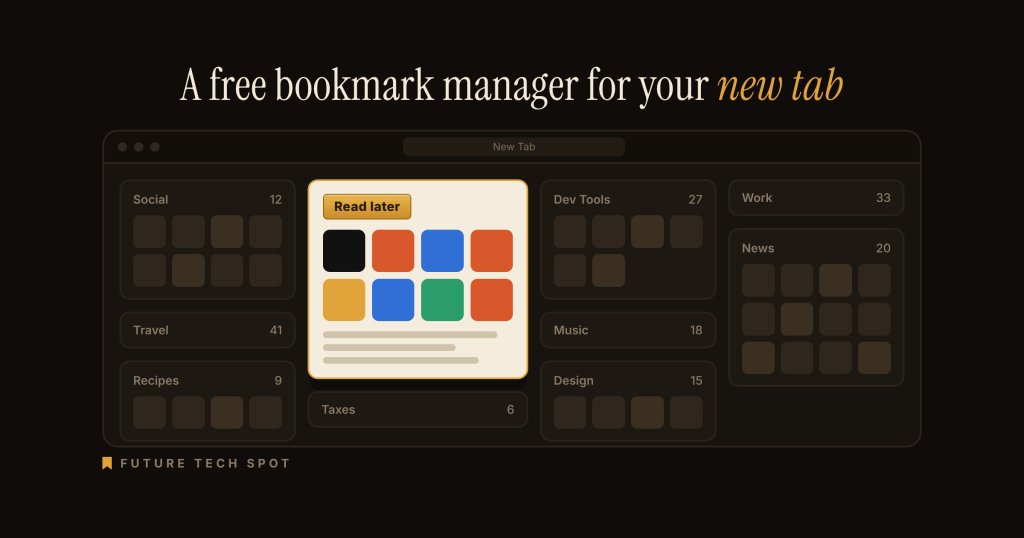
A free Chrome new tab that shows the bookmarks you already buried. We read the Store, the site, and the changelog. We did not install it.
TL;DR
Bookmarks But Better is a Functionality & UI Chrome extension developed by Farhad Eidi (bookmarks.but-better.dev). It replaces the new tab page with your existing Chrome bookmarks shown as folder cards, with search and drag-and-drop organizing. It is free and open source under the MIT license, with no Pro tier, as of 2026-09-30. Currently rated 5.0/5 on the Chrome Web Store from 5 ratings, with 287 users. Best for: people who already keep bookmarks in Chrome folders and want to see them on the new tab.
Key facts
| Field | Value |
|---|---|
| Name | Bookmarks But Better |
| Developer | Farhad Eidi (bookmarks.but-better.dev, farhadeidi.com, [email protected]) |
| Category | Functionality & UI (Chrome Web Store) |
| Price | Free, no Pro tier, as of 2026-09-30. MIT-licensed open source |
| Chrome Web Store users | 287 |
| Rating | 5.0 / 5 (5 ratings) |
| Last updated by developer | 2026-09-21 on the Store (version 4.4.0; the project changelog dates 4.4.0 as 2026-09-20) |
| Size | 529KiB |
| Earliest project changelog entry | Version 2.0.0, 2026-03-24 |
| Also available for | Firefox (Add-ons listing). Safari listed as coming soon |
| Chrome Web Store URL | https://chromewebstore.google.com/detail/bookmarks-but-better/nflojekghnganlcjncbepnnnkgakghif |
| Official site URL | https://bookmarks.but-better.dev |
| Privacy policy URL | https://bookmarks.but-better.dev/privacy/ |
| Source code URL | https://github.com/farhadeidi/bookmarks-but-better |
| Last verified by us | 2026-09-30 |
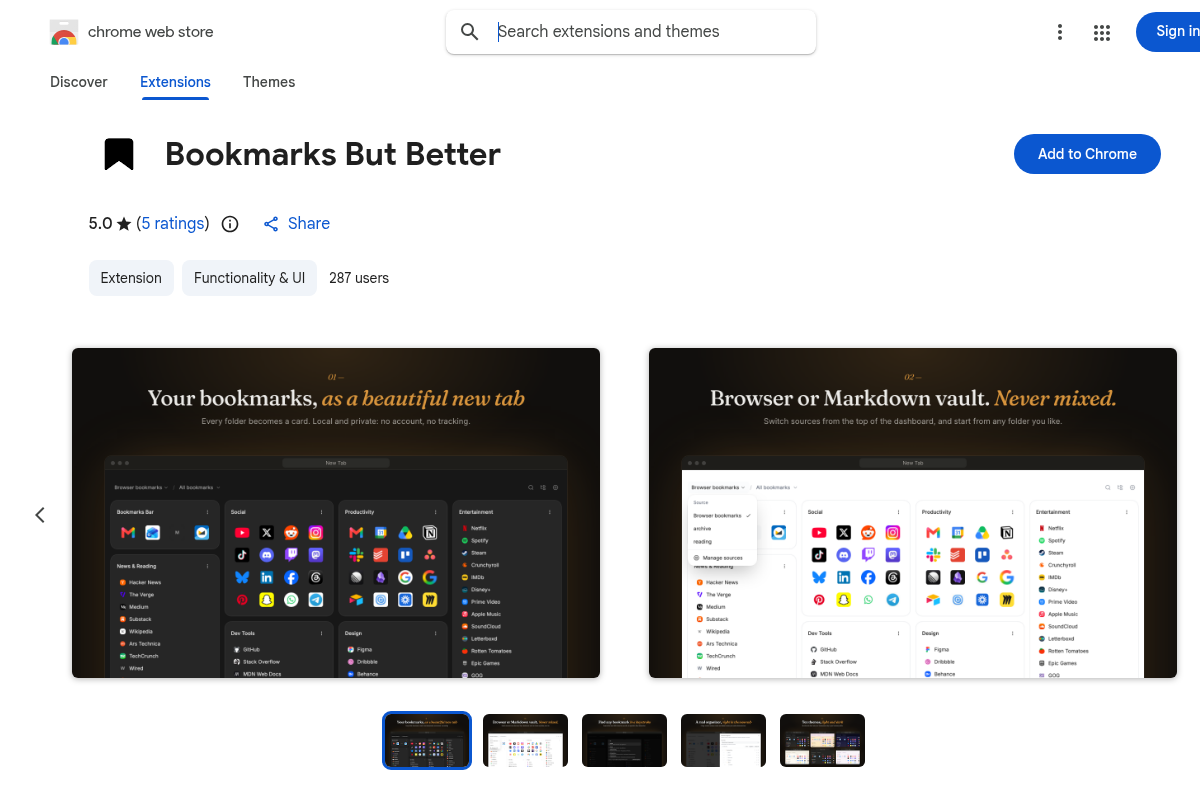
Alt: Bookmarks But Better Chrome Web Store listing screenshot showing 5.0 from 5 ratings, 287 users, and dashboard previews of bookmark folders as cards. Captured 2026-09-30 from the public listing; we did not install the extension.
Every browser has a folder where links go to be forgotten. Yours is probably called Read later, and it is older than some of your passwords. Bookmarks But Better is a Chrome extension built on a simple theory: the folder is fine, the hiding is the problem. So it puts the folder on the new tab, where you will meet it every time you open one.
What is Bookmarks But Better? Three tabs will do
Bookmarks But Better is a free, open source bookmark manager that replaces Chrome’s new tab page with the bookmarks you already have, one card per folder. It has search, drag-and-drop organizing, ten themes, and no account. What is at stake is small and familiar: whether a saved link is ever opened again. We only have the Store listing, the maker’s site, and the project’s public changelog, so instead of a feature tour we picked three tabs and asked what each one demands of the extension.
Tab one: the new tab you open on reflex
You open a new tab the way you open the fridge. No plan. Chrome answers with a search box and a row of tiles for sites you visited lately, which is an accurate summary of your week and no help at all with your bookmarks.
Bookmarks But Better swaps that page for your bookmark tree. Each folder becomes a card. Cards flow into a masonry layout, so a folder with four links and a folder with forty sit side by side without anyone apologizing for the difference. Type anywhere and a search palette finds bookmarks by title or URL. Drag a bookmark to another card and it moves. Each folder can show as a list or an icon grid, any folder can be the dashboard’s root, and there are ten color themes in light, dark, and system modes. Version 4.4.0 added cards that fold down to a name and a bookmark count, which is also the honest summary of most folders.
The listing says nothing needs setting up: no account, no configuration, and the extension edits the bookmarks Chrome already has through Chrome’s own bookmark API instead of copying them somewhere. The site adds that nothing is moved, merged, or deleted unless you do it yourself in the organizer.
Pin the icon after you install it. Chrome tucks new toolbar icons behind the puzzle piece, and this one is the quick-save button: it saves the page you are on straight from the toolbar popup. There is also an address-bar shortcut. Type bb, press Tab, and search without opening the dashboard.
One changelog detail earned a smile. Until version 4.4.0, typing the letter d anywhere on the dashboard started a search and also flipped between light and dark mode, because a keyboard shortcut predated type-ahead search. Searching for dentist began with a lighting change. It is fixed, and the changelog says so plainly.
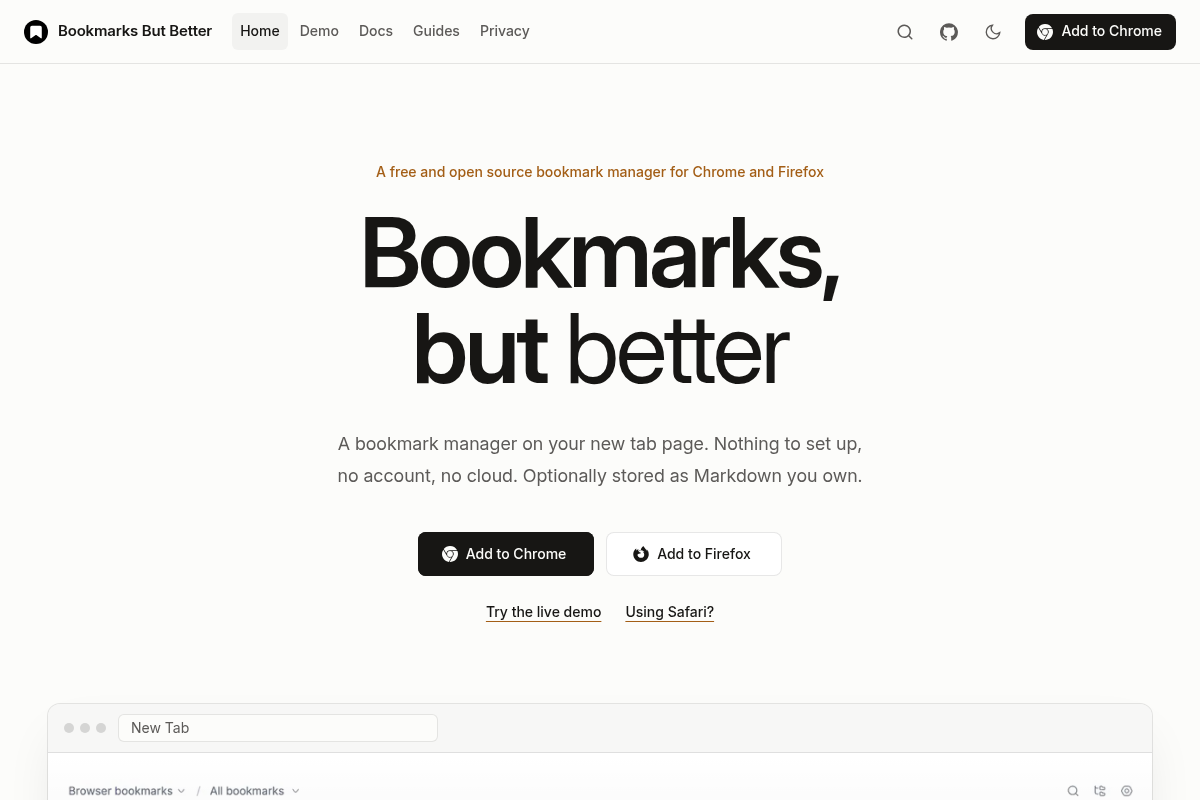
Alt: Bookmarks But Better homepage screenshot showing the “Bookmarks, but better” headline with Add to Chrome and Add to Firefox buttons and a preview of the New Tab dashboard. Captured 2026-09-30.
Tab two: the one with far too many bookmarks
Somewhere there is a person with ten thousand bookmarks. The project’s changelog treats that person as a user, not a cautionary tale.
Version 4.2.1, dated 2026-09-13, fixed a hang. According to the changelog, every folder card used to mount at once, each with its own hover card, drag source, tab stop, and icon lookup. At ten thousand bookmarks that meant about a gigabyte of memory before the first paint, and then a crashed tab. Now, above 500 bookmarks, the dashboard lays out every card but builds only the ones within a screen of the viewport, and lets them go as they scroll away. The keyboard still reaches every item. Below 500, nothing changes, so the browser’s find-in-page still sees every card. Version 4.3.0 then cut the style lookups on a 10,000-bookmark test collection from 1,204 to fewer than 50.
The fastest way to end up with thousands of bookmarks is to import them, and the listing covers that. HTML import and export work with files from any browser. Since 4.3.0 there is also CSV import from Raindrop (its folder paths become nested folders) and Pocket (its items land under one folder), with a preview, a destination picker, and duplicate handling.
Two things we take from this tab. The fix comes with its numbers written down, a habit we like in a changelog. And the version numbers are moving fast: the changelog lists seven releases between 2026-08-11 and 2026-09-20, which is a lot of shipping for a reviewer working from a listing to keep pace with. We did not load ten thousand bookmarks. We read that someone did.
Tab three: the one that will not load
Most extensions that take over the new tab plan for the day everything works. This one also has a page for the day it does not.
According to the 4.3.0 notes, a crash while drawing the dashboard now shows a card with the error text and a way out, instead of a blank tab. A Settings page opens from Chrome’s extensions page, so it is reachable even when the new tab is unusable. And safe mode opens the new tab without drawing any bookmarks, so you can change the source or the root folder that caused the trouble.
This is the tab we would want to know about before installing. A replacement new tab is a bet that you will never be locked out of your own front door. The maker cut the spare key first. We did not force a crash to see the card. We read that it exists.
The optional part: bookmarks as Markdown files
Everything above runs on Chrome’s own bookmarks. There is a second source, off unless you ask: a small local program, the daemon, that keeps bookmarks as plain Markdown files in a folder you choose. The folder works in a text editor, in Obsidian, and in Git. It is set up with npx bookmarks-but-better@latest, listens only on your own computer (127.0.0.1), and the listing says localhost access is requested only when you connect it, not at install. Chrome’s developer documentation recommends optional permissions wherever the feature allows, which is what this is.
Browser bookmarks and vaults are never silently mixed. Switching the source moves nothing. The site says most people leave the vault off, and for a first week that seems right. We did not install the daemon.
Who made Bookmarks But Better?
Bookmarks But Better is published by Farhad Eidi, a frontend engineer and UI designer according to farhadeidi.com, where it sits beside another project, pm-finder. The code is public on GitHub under the MIT license. The public changelog runs from version 2.0.0 on 2026-03-24 to version 4.4.0 on 2026-09-20. Contact is [email protected] on the Store listing, and the project takes questions on GitHub Issues. One person, an open repository, and a changelog that admits its own bugs. We have not exchanged email.
What we could verify, and what we could not
Could verify (Store listing, site, README, changelog):
- 287 users, 5.0 from 5 ratings, 529KiB, version 4.4.0, updated 2026-09-21 on the Store
- Free and MIT-licensed on the Store overview, the site FAQ, the README, and the LICENSE file
- Permissions declared on the Store: activeTab, bookmarks, storage, favicon, clipboardWrite, with two Google favicon hosts and optional localhost access
- The feature list, import formats, address-bar keyword, safe mode, and the 500-bookmark threshold, all consistent across Store, site, and changelog
- A live-demo page and a Firefox listing exist
Could not verify (this review stayed listing-only):
- How fast the new tab actually opens on your bookmark count
- Drag-and-drop, search, and import behavior in real use
- Whether safe mode and the crash card behave as described
- The daemon install and the Markdown vault flow
- The date the Store listing first went live (the changelog’s earliest entry is 2026-03-24)
How much does Bookmarks But Better cost in 2026?
| Tier | Price | What you get |
|---|---|---|
| Chrome extension | $0 | Dashboard, search palette, organizer, ten themes, quick capture, HTML and CSV import, HTML export |
| Markdown vault daemon | $0 | Optional local program that serves bookmarks as Markdown files; MIT license |
| Build from source | $0 | Same code, built with Bun from the GitHub repository |
| Paid or Pro plan | None | There is no paid plan. The Store listing carries no in-app purchases flag |
Verified 2026-09-30 on the Chrome Web Store listing and the official site. No account is required. Most of this niche is not free (see the alternatives table), so free is a fact worth stating and not a parade.
Who should use Bookmarks But Better, and who shouldn’t
Should
- People whose bookmarks already sit in Chrome folders they never open, because the extension displays the structure you have and puts it on the tab you open anyway
- People who want no account and no cloud service, because the listing describes neither
- Obsidian and Git users, because the optional vault is plain Markdown files in a folder they own
- People leaving Pocket or Raindrop, because CSV import for both shipped in 4.3.0
Shouldn’t
- People who like a new tab with wallpaper, weather, or a clock, because this extension replaces the new tab with a bookmarks-first page
- People with one flat pile of unsorted links and no folders, because the listing describes a place to organize by hand and not an auto-sorter
- Anyone who wants the extension to sync across devices through its own service, because there is no account or cloud; Chrome’s own bookmark sync still applies to browser bookmarks, and vault files are yours to sync
- People who need tags, notes, or saved page copies, because none of those appear in the feature list
What are the best Bookmarks But Better alternatives?
One honest sentence first: Chrome’s own bookmark manager already lists, searches, sorts, and drags bookmarks, and it has an @bookmarks address-bar shortcut (Google Chrome Help). Nothing to install. The difference here is location. Chrome’s manager lives behind a menu and this one lives on the new tab. That is the whole pitch, so back to it.
| Tool | Users (Chrome Web Store, 2026-09-30) | Rating | Price shape | Fit |
|---|---|---|---|---|
| Bookmarks But Better | 287 | 5.0 (5) | Free, MIT, no Pro | Existing Chrome bookmarks as folder cards on the new tab |
| Chrome bookmark manager | Built in | Not applicable | Free | Full manager behind a menu; no install |
| Tabisto | 605 | 5.0 (24) | Free plan (2 workspaces, 25 bookmarks); Pro $3.99/month or $35.88/year | Workspaces, saved tab sessions, notes |
| gridtabs | 407 | 4.7 (13) | In-app purchases flag; prices not read | Spreadsheet-style grid, optional Google sign-in sync |
| StartBoard Visual Bookmarks | 214 | 4.6 (8) | Not stated in the listing text we read | Free-form layout, workspaces; last updated 2026-01-18 |
If your real problem is finding a save you cannot name, that is a different job; see our Deepmark review. If you like the idea of surfacing a buried setting on the page where you need it, our Diet Claude review is the same instinct in another corner of Chrome.
Verdict
| Sub-score | /10 | Note |
|---|---|---|
| Ease of use | 7 | Listing and site describe install-and-go with no setup; pin-the-icon tip applies; we did not run it |
| Value | 7 | Free, MIT-licensed, no Pro tier; the value is a claim until someone uses it, and we did not |
| Reliability | 6 | Public changelog, active maintenance, and a safe mode are good signs; a large-library hang was fixed on 2026-09-13; not tested here |
| Privacy | 7 | Store, site, and privacy page all state no account, analytics, or tracking; not a live traffic audit |
| Support | 6 | Email on the Store and GitHub Issues exist; small project; we did not write in |
| Overall | 7/10 | Honest for listing-only |
The graveyard was never the real problem. The problem was that it had no visiting hours. Bookmarks But Better does not promise you will read what is in the folder. It promises you will stop forgetting the folder exists, on the tab you open most, for nothing. The changelog is unusually candid and the safe mode is the kind of detail that suggests the maker has thought about the bad day. But we never opened that new tab on our own machine, so the score stays where the evidence stops. Install it tonight if your Read later folder needs company. Just do not expect us to vouch for the drag-and-drop.
Frequently asked questions about Bookmarks But Better
What is Bookmarks But Better?
Bookmarks But Better is a free Chrome extension that replaces the new tab page with your existing Chrome bookmarks, shown as one card per folder. It adds a search palette, a drag-and-drop organizer, list and grid views, and ten color themes. As of 2026-09-30 the Chrome Web Store shows 287 users, a 5.0 rating from 5 ratings, and version 4.4.0.
Is Bookmarks But Better free?
Yes. Bookmarks But Better is free and open source under the MIT license, according to the Chrome Web Store overview and the official site. There is no Pro tier and no paid plan as of 2026-09-30. It needs no account. The optional Markdown vault daemon is also free, and the code can be built from the GitHub repository.
Does Bookmarks But Better collect my data?
According to the Chrome Web Store listing, Bookmarks But Better has no account system, analytics, tracking, ads, or bookmark-content collection. The developer’s Store privacy form says it will not collect or use your data, and the official privacy page describes the same. Preferences stay local to the browser profile. FutureTechSpot did not inspect network traffic.
Does Bookmarks But Better change my existing bookmarks?
Bookmarks But Better displays and edits the bookmarks Chrome already has through Chrome’s built-in bookmark APIs. According to the official site FAQ, nothing is moved, merged, or deleted unless you do it yourself in the organizer. Editing a bookmark in the dashboard edits the real Chrome bookmark. Import and export use standard HTML files.
Can Bookmarks But Better import from Pocket or Raindrop?
Yes. Since version 4.3.0, Bookmarks But Better imports CSV exports from Raindrop and Pocket. Raindrop folder paths become nested folders, and Pocket items land under one folder. Import shows a preview, a destination picker, and duplicate handling. HTML bookmark files from any browser can also be imported, and the active source can be exported to HTML.
Does Bookmarks But Better work in Firefox and Safari?
Bookmarks But Better has a Firefox version on Firefox Add-ons. The official site lists a Safari version as coming soon, with Safari working only through the optional local Markdown vault, and says it can be built from source now. This review covers the Chrome listing only, and FutureTechSpot did not test the Firefox or Safari builds.
What is the Bookmarks But Better Markdown vault?
The Markdown vault is an optional source for Bookmarks But Better. A small local daemon, installed with npx bookmarks-but-better@latest, keeps bookmarks as plain Markdown files in a folder you choose, usable in a text editor, Obsidian, or Git. It listens on 127.0.0.1 only, and browser bookmarks and vaults are never silently mixed.
Did FutureTechSpot test Bookmarks But Better live?
No. This review is listing-only as of 2026-09-30. We verified the Chrome Web Store listing, the official site, the privacy page, the GitHub README and changelog, and competitor listings. We did not install Bookmarks But Better, load a bookmark collection, or run the optional daemon.
Sources and further reading
- Bookmarks But Better on the Chrome Web Store
- Official site: bookmarks.but-better.dev
- Privacy page
- Documentation
- GitHub repository
- Project changelog
- Project README
- MIT license file
- Bookmarks – But Better on Firefox Add-ons
- Farhad Eidi
- Create, find and edit bookmarks in Chrome (Google Chrome Help)
- Declare permissions (Chrome for Developers)
- Tabisto on the Chrome Web Store
- gridtabs on the Chrome Web Store
- StartBoard Visual Bookmarks on the Chrome Web Store
Change log
- 2026-09-30: Initial review published (listing-only). Store: 287 users, 5.0 (5 ratings), version 4.4.0 updated 2026-09-21. Free, MIT license, no Pro tier.
Tested by the FutureTechSpot Editorial Team using the methodology at /how-we-test/. Affiliate disclosure: We may earn a commission if you install Bookmarks But Better through links on this page. This never influences our reviews. Read our editorial independence policy.
Related Stories
Ad Block Ghost Review 2026: Pin the Ghost. Friday Night Gets Quiet.
A free 3MB Chrome blocker for fake download buttons and streaming pop-ups, with YouTube off until you ask.
Deepmark Review 2026: Finding the Reel That Never Said Pasta
A paid Chrome listing that wants to search the save you cannot name. We did not find the…
Diet Claude Review 2026: Claude Hid the Meter in Settings
A soda-can Chrome listing that wants Claude's 5-hour bar on the chat, not two clicks away in Settings.