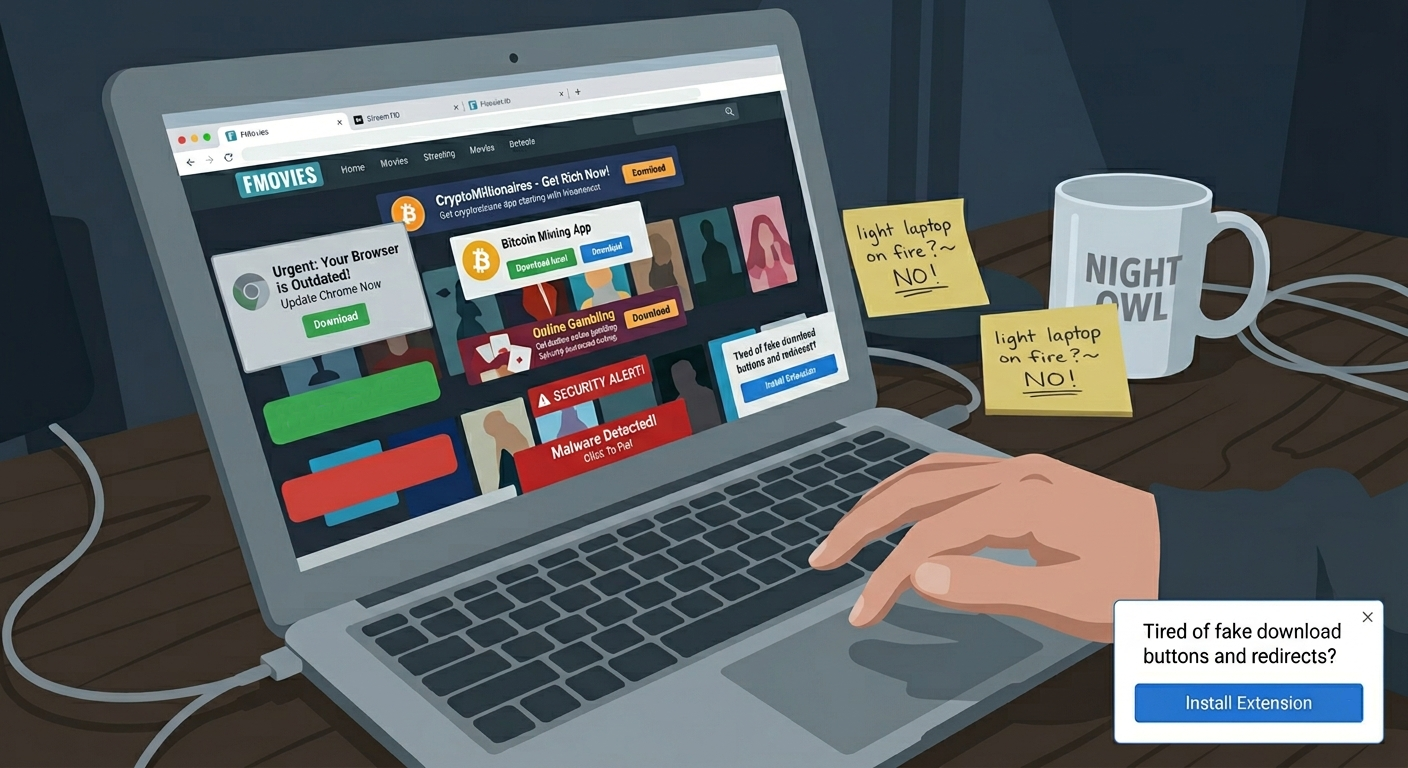
I was three tabs deep into trying to watch a movie when I met Stop Ads Now. This is not how you’re supposed to discover software.
It was a Tuesday. My uBlock Origin had, for the third time that month, decided that a streaming site I won’t name here — fine, it was Fmovies, and if you know, you know — was beyond redemption. Every other link triggered a redirect to a fake “your Chrome is out of date” page. A stray click opened a new tab selling cryptocurrency to people who apparently still fall for that. Somewhere in the middle of all this, a little popup slid in from the corner of the page. Not an ad. An extension recommendation.
“Tired of fake download buttons and redirects?”
Reader, I was.
I’m going to be honest with you: my first instinct was to close the tab and light my laptop on fire. Installing a browser extension that a shady streaming site is recommending to you is, on paper, a legendarily bad idea. It ranks somewhere between “give my password to this man in a trench coat” and “yes, I would like to download the RAR file with no extension.” Everything about the scenario screamed scam.
But I was curious. And the popup wasn’t aggressive — it didn’t autoplay, didn’t shake, didn’t try to trick me into clicking it. It just sat there. So I did what any responsible tech journalist would do. I opened a clean Chrome profile, turned on network monitoring, and clicked it.
The first impression: suspiciously un-scammy
The link took me to the Chrome Web Store. That alone narrowed the odds of disaster considerably. The extension, Stop Ads Now, had 50,000 users, a 4.5-star rating, and — the thing I always check first — it had been updated just over two weeks earlier, on April 7th. Actively maintained. Not abandoned. Not freshly uploaded yesterday by someone in a hurry.
The listing itself was the first thing that caught me off guard. Most ad blockers sell themselves like they’re running for office: “Block 99% of ads. Protect your family. Reclaim the internet.” Stop Ads Now’s pitch was almost aggressively casual. The hero image said “STREAMING WITHOUT ADS — The only extension you need for clean video streams.” A second screenshot read “NO FAKE DOWNLOAD BUTTONS.” Which, unlike most marketing copy, described a real and specific problem I was actively having.
The Chrome Web Store listing doesn’t name a developer — there’s just a link out to stopads-now.com, which is either a red flag or a sign of someone who doesn’t care about personal branding, and I genuinely couldn’t tell which. The website itself is more forthcoming. Under a section titled “THE MISSION — Giving back to the community,” there’s a quote: “I built Stop Ads because I was tired of great blockers breaking the sites I love. I wanted something fast, invisible, and perfectly balanced for the torrent and streaming community.” It’s signed, simply, “Mat, Creator.”
This was, I will grant you, either very honest or very clever marketing. I installed it anyway.
The part where it started working
Stop Ads Now does not make a big show of itself. There’s no onboarding tour, no email capture, no “upgrade to Pro” nag. You install it, it adds a small red octagon to your extensions bar, and then you go back to what you were doing. In my case, what I was doing was the exact thing that had broken uBlock fifteen minutes earlier.
It just… worked.
The fake “download” buttons on the media-converter sites — the ones that are actually four different ads stacked in a trench coat — were gone. The first-click redirect that hijacks your initial tap on a streaming play button? Gone. The “Your PC is infected, click here” overlay that used to float over the video player on 1Movies? I haven’t seen it once.
The counter on the extension icon tells you how many elements it’s blocked on the current page. On one particularly feral streaming site, it hit 84 before the video had even loaded. Eighty-four separate attempts to redirect, pop, overlay, or otherwise harass me — on a single page view. I felt, briefly, like I’d been living in a war zone and only just noticed.
What it actually does differently
Here’s where I started taking Stop Ads Now seriously. Most blockers are built for the regular web — news sites, shopping, social media, the clean-ish internet. They’re surgical about first-party ads and mostly leave the wild corners alone, or they nuke those corners so aggressively that the sites stop functioning.
Stop Ads Now is tuned for the wild corners. Its filter lists update every 24 hours, which matters, because the ads on streaming and torrent sites mutate faster than the ones on, say, The New York Times. There’s a whitelist (they call it the “Trust List”) for sites you want to let through, which is standard. There’s an Acceptable Ads program toggle, on by default, which you can turn off if you want maximum nuclear mode. There’s also an optional “YouTube Stealth Mode” you have to enable manually — it’s off by default, which I appreciated. Opt-in, not opt-out.
The one thing I want to flag: the extension does collect top-level domains you visit, according to its privacy disclosure, for filter improvement and fraud detection. Not full URLs. Not page content. Just the domain. For what it’s worth, that’s less than what most ad blockers in this category log, and it’s clearly disclosed. Your mileage may vary on how you feel about that tradeoff.
So, where does it sit?
I’ve been using Stop Ads Now exclusively for two weeks now. I also installed it on my partner’s laptop without telling her what it was, just to see if she’d notice. She didn’t — which in ad blocker terms is the highest possible compliment. The best ones are the ones you forget exist.
Here’s how the current landscape looks:
| Stop Ads Now | uBlock Origin Lite | AdGuard AdBlocker | |
| Users | 50,000 | 17,000,000 | 17,000,000 |
| Rating | 4.5 / 5 | 4.5 / 5 | 4.7 / 5 |
| Number of ratings | 10 | 2,900 | 67,600 |
| Price | Free | Free | Free |
| Last updated | April 7, 2026 | April 21, 2026 | April 23, 2026 |
| Built for | Streaming, torrent, download sites | General web, privacy-focused | General web, mainstream sites |
| Whitelist control | Yes (“Trust List”) | Limited | Yes |
| YouTube handling | Optional “Stealth Mode” (off by default) | Standard filter | Standard filter |
A note on the user count: yes, Stop Ads Now has a tiny install base compared to the giants. Ten ratings is ten ratings. I’m not going to pretend that’s a statistically meaningful sample. What I can tell you is that for the specific use case it’s built for — the kind of browsing that breaks other blockers — it’s the first thing in a long time that has just quietly, competently worked.
The verdict
I didn’t want to like Stop Ads Now. I wanted to write a cautionary tale about extensions you find through streaming-site popups. I wanted to close this piece with a warning.
Instead, I’m closing it by telling you that it’s now the default ad blocker on two of my machines, and that I uninstalled uBlock from the laptop I use for the less-respectable half of my internet diet. If you spend any real amount of time on streaming sites, media converters, or the various gray-market corners where ad blockers go to die — this is the one that’s currently winning that fight.
Sometimes the best product recommendations come from the worst possible sources. Who knew.

Written by
Jordan Sterling
I've been writing about privacy-focused technology and open-source security tools for the past 6 years, with a particular obsession for encrypted messaging protocols and zero-knowledge architectures. My work bridges the gap between complex cryptographic concepts and everyday digital privacy for readers who want to take control of their data. Expect deep dives into VPNs, audited apps, and the occasional rant about surveillance capitalism.
Enjoyed this article?
Get stories like this delivered to your inbox every week.
Related Stories
More from Apps & Software

I Tried De-Googling My Phone Just Two Apps Survived
I figured it was time. Time to really see if a life without Google on my phone was…
Jordan Sterling

Rare CEO Signed AMD Desktop Discovered in Basement Vault
An HVAC technician uncovered a pristine 2014 AMD desktop, signed by Lisa Su, featuring Bulldozer hardware and a…
 Quinn Brooks

High-Performance Browser-Based Multitrack Audio Processing
Explore Audiomass, a powerful, open-source multitrack audio editor that runs directly in your browser, simplifying your creative workflow…
Quinn Brooks